Quick summary
Connecting an ELRS receiver to an FPV flight controller involves three main steps: wiring the receiver’s power, ground, and signal wires to a free UART port on the flight controller; selecting the correct serial protocol (usually CRSF) in your firmware configuration; and binding the receiver to your radio transmitter. ELRS uses the CRSF protocol for communication, so you must enable ‘Serial RX’ on the chosen UART and set the receiver type to ‘CRSF’ in Betaflight or your flight controller’s configuration software. After binding and verifying input in the receiver tab, your control link is ready. This guide walks through the process with practical tips for schools, clubs, and teams.
Key Takeaways
- ELRS receivers communicate via CRSF protocol; wiring goes to a free UART (TX to RX, RX to TX, plus 5V and GND).
- Betaflight supports CRSF and many other receiver protocols, but you must configure the correct UART and serial receiver settings. Betaflight documentation confirms receiver protocol support including CRSF.
- Always verify voltage compatibility: most ELRS receivers accept 5V, but some support higher voltages—check your receiver’s datasheet.
- After wiring, bind the receiver to your transmitter, then check channel inputs in the Receiver tab.
- For team or classroom builds, standardize on one receiver model and UART mapping to simplify troubleshooting.
What You Need Before You Start
Gather these items: your ELRS receiver, a compatible FPV flight controller, a soldering iron with fine tip, silicone wire (typically 28–30 AWG), heat shrink tubing, and a USB cable for configuration. You will also need your radio transmitter with an ELRS module installed and a computer with Betaflight Configurator or your flight controller’s configuration software. If you are working with a school or club, set up a dedicated workstation with good lighting and a magnifying glass to help younger builders.
Step-by-Step Wiring Guide
1. Identify a Free UART on Your Flight Controller
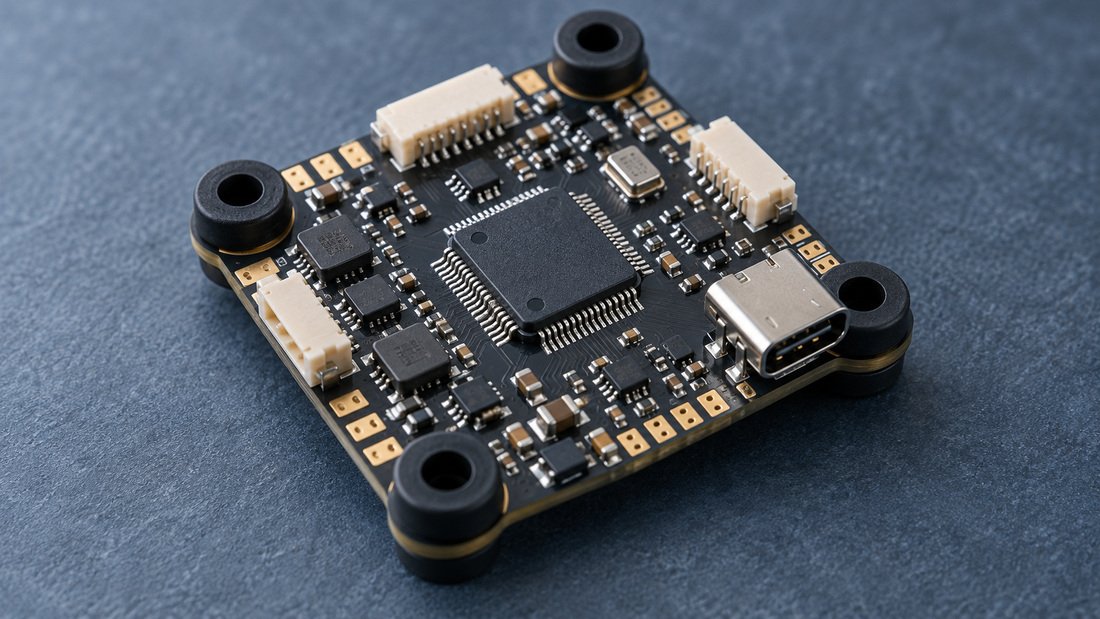
UART (Universal Asynchronous Receiver-Transmitter) ports are labelled on the board’s silkscreen, such as UART1, UART2, TX1/RX1, etc. Choose a UART not already used by other peripherals like GPS or VTX control. On many FPV flight controllers, a dedicated receiver pad set is provided. If you are unsure, consult your flight controller’s wiring diagram. For general selection, see our range of flight controllers.
2. Solder Power, Ground, and Signal Wires
Connect the receiver’s 5V and GND pads to a 5V and GND pad on the flight controller. Then connect the receiver’s TX pad to the flight controller’s RX pad of the chosen UART, and the receiver’s RX pad to the flight controller’s TX pad. This crossover is essential: TX goes to RX, RX goes to TX. Use pre-tinned pads and keep wire lengths short to reduce interference. For reliable connections, refer to our FPV electronics selection.
3. Configure the UART in Betaflight
Open Betaflight Configurator, connect your flight controller, and go to the Ports tab. Find the UART you wired the receiver to. Enable ‘Serial RX’ for that UART and save. Then go to the Configuration tab. Under ‘Receiver’, set ‘Receiver Mode’ to ‘Serial-based receiver’ and ‘Serial Receiver Provider’ to ‘CRSF’. Save and reboot. Betaflight documentation confirms support for CRSF and other protocols. (Source)
4. Bind the Receiver to Your Transmitter
Put your transmitter’s ELRS module into bind mode. Then power your receiver while holding its bind button (or use the binding phrase method if your receiver supports it). The LED on the receiver should turn solid, indicating a successful bind. Consult your receiver’s manual for exact binding steps.
5. Verify Channel Inputs
In Betaflight Configurator, go to the Receiver tab. Move sticks and switches on your transmitter; you should see channel bars move accordingly. If not, check your wiring, UART configuration, and bind status. Adjust channel mapping if necessary (AETR or TAER).
Common Mistakes and How to Avoid Them
- Reversed TX/RX: Connecting TX to TX or RX to RX will prevent communication. Double-check the crossover.
- Wrong UART selected: Ensure the UART number in Betaflight matches the physical pads you soldered to.
- Incorrect protocol: ELRS uses CRSF; selecting SBUS or another protocol will not work.
- Voltage mismatch: Powering a 5V-only receiver from a higher voltage pad can damage it. Verify receiver voltage range.
- Loose connections: Poor solder joints cause intermittent failsafes. Reflow suspicious joints.
- Not enabling Serial RX: The UART must be set to ‘Serial RX’ in the Ports tab.
- Forgetting to save: Always click ‘Save and Reboot’ after changes.
Comparison: ELRS vs. Other Receiver Protocols
| Feature | ELRS (CRSF) | SBUS | Spektrum |
|---|---|---|---|
| Protocol Type | Serial (CRSF) | Serial (inverted) | Serial (Spektrum) |
| Wiring | TX/RX crossover | Single signal wire | Single signal wire |
| Betaflight Support | Yes | Yes | Yes |
| Telemetry | Full telemetry | Limited | Limited |
| Latency | Very low | Low | Low |
ELRS offers low latency and full telemetry, making it popular for racing and freestyle. SBUS and Spektrum are older but still supported. Betaflight supports a wide variety of receiver protocols. (Source)
Buyer’s Checklist for Teams and Schools
- Confirm receiver voltage range matches your flight controller’s 5V output.
- Choose receivers with clearly labelled pads and documentation.
- Standardize on one ELRS receiver model across your fleet to simplify spares and training.
- Ensure your flight controller has enough free UARTs for receiver, GPS, and other peripherals.
- Buy extra receivers and antennas for crash repairs.
- Check firmware compatibility between receiver and transmitter modules.
- Request a wiring diagram from your supplier—do not assume.
Frequently Asked Questions
1. Can I connect an ELRS receiver to any flight controller?
Most modern FPV flight controllers support ELRS via CRSF, provided they have a free UART and run compatible firmware like Betaflight. Very old or limited boards may not.
2. Do I need to invert the signal for ELRS?
No, ELRS uses a non-inverted serial signal. Unlike SBUS, which often requires inversion, CRSF does not.
3. What if my receiver does not power on?
Check your 5V and GND connections with a multimeter. Ensure the flight controller is powered and the pads are correct. Also verify the receiver’s voltage range.
4. How do I update ELRS firmware?
Use the ExpressLRS Configurator or Wi-Fi update method. Follow your receiver’s manual. Always update transmitter and receiver to matching firmware versions.
5. Can I use ELRS with a flight controller running ArduPilot or INAV?
Yes, ELRS is supported in ArduPilot and INAV, but configuration steps differ. Refer to their respective documentation.
6. What is the maximum distance for ELRS?
Range depends on power output, antennas, and environment. ELRS is known for long-range capability, but always test in a controlled area.
7. How many ELRS receivers can bind to one transmitter?
Typically one at a time for control, but some transmitters support multiple models via model memory. Binding multiple receivers simultaneously is not standard.
For more information on other FPV electronics like video transmitters and cameras, explore our FPV video receivers and FPV DVR options.
Need help selecting the right flight controllers and receivers for your team? Request a Team Kit Quote to get personalized recommendations.
Conclusion
Wiring an ELRS receiver to your flight controller is straightforward when you follow the correct steps: identify a free UART, solder power, ground, and crossed signal wires, configure the UART for Serial RX and CRSF in Betaflight, bind the receiver, and verify channel inputs. This setup is common in FPV and drone soccer builds because ELRS offers reliable, low-latency control. For clubs, schools, and teams, standardizing equipment and keeping spares reduces downtime. If you are equipping a group, start by requesting a quote tailored to your needs.
When you are ready to order flight controllers, receivers, and other FPV electronics for your program, Request a Team Kit Quote and our team will help you choose compatible components.