Quick summary
To choose an ELRS receiver for a drone, match five variables to your fleet: RF band (2.4 GHz or 900 MHz), antenna type and mounting, receiver channel count and output type, available board space and weight, and firmware compatibility with your transmitter module. For clubs, also standardize one receiver family across the fleet, confirm antenna connectors and spares, and buy through a supplier that documents firmware targets, pinouts and antenna specifications so replacements behave the same way.
Key Takeaways
- ELRS receiver selection starts with RF band, because 2.4 GHz and 900 MHz behave differently indoors, outdoors and in crowded venues.
- Antenna type and placement often matter more than the receiver board itself, especially for small drone soccer airframes.
- Diversity and single-antenna receivers solve different problems; pick based on venue, fleet size and maintenance capacity.
- Match receiver firmware target and transmitter module before ordering in volume.
- For teams, standardize one receiver model per fleet and document connectors, spares and binding procedure.
What does ELRS receiver selection actually mean?
ELRS receiver selection is the process of matching an ExpressLRS (ELRS) receiver to a specific airframe, radio transmitter module and operating environment. ELRS is an open-source radio control (RC) link that runs on 2.4 GHz or 900 MHz hardware, so the receiver is only one part of a chain: transmitter module, antenna, receiver, receiver antenna and flight controller.
Because ELRS is open, many manufacturers build compatible receivers. That is convenient for buyers but it also means two receivers with similar names can differ in firmware target, connector type, voltage tolerance and antenna mounting. Selection is therefore less about brand loyalty and more about matching variables.
For a drone sports club or school program, the goal is a repeatable fleet specification. One receiver model, one firmware procedure, one spare antenna type. That reduces field troubleshooting and makes it easier to train new members. You can browse categorised hardware in our ELRS receivers section and confirm which form factors are currently stocked.
The five selection variables that matter most
Most buying mistakes come from treating ELRS receivers as interchangeable. Work through the variables below in order and the shortlist usually becomes obvious.
1. RF band: 2.4 GHz or 900 MHz
Band choice is the first filter. 2.4 GHz hardware is compact, antennas are small and the band supports high packet rates. 900 MHz hardware generally uses longer antennas and is often chosen for long-range or obstacle-heavy outdoor use, but regulations and permitted bands vary by country, so confirm what is legal where you fly.
For indoor drone soccer or school gymnasiums, many teams prefer 2.4 GHz because antennas fit small airframes. For outdoor fields with trees or long distances, some clubs test 900 MHz. Neither band is universally better; the venue decides.
2. Antenna type, connector and mounting
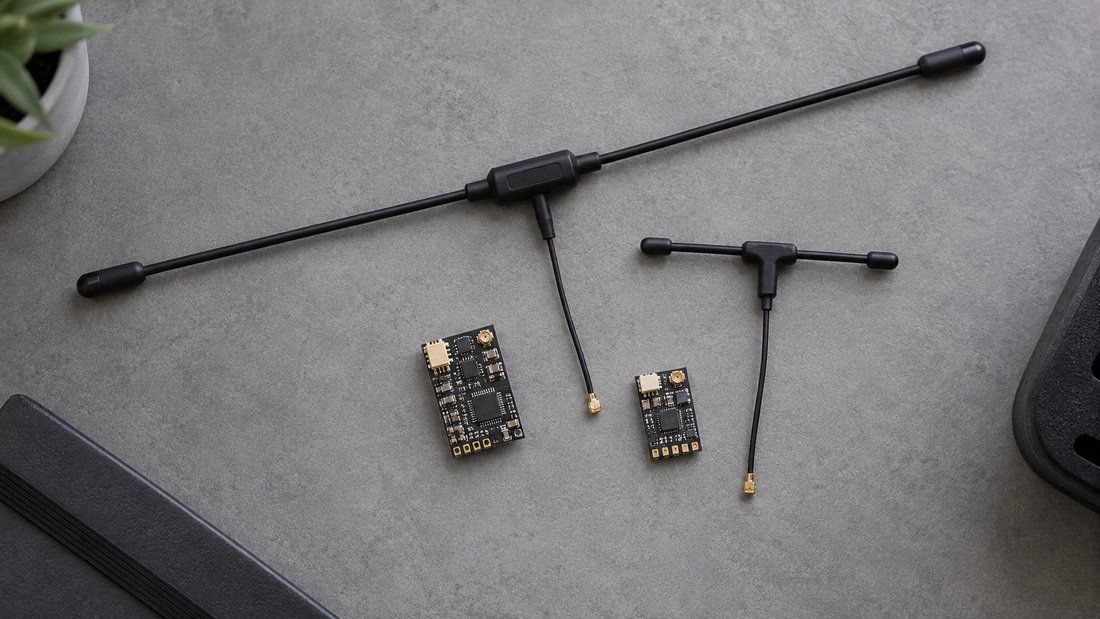
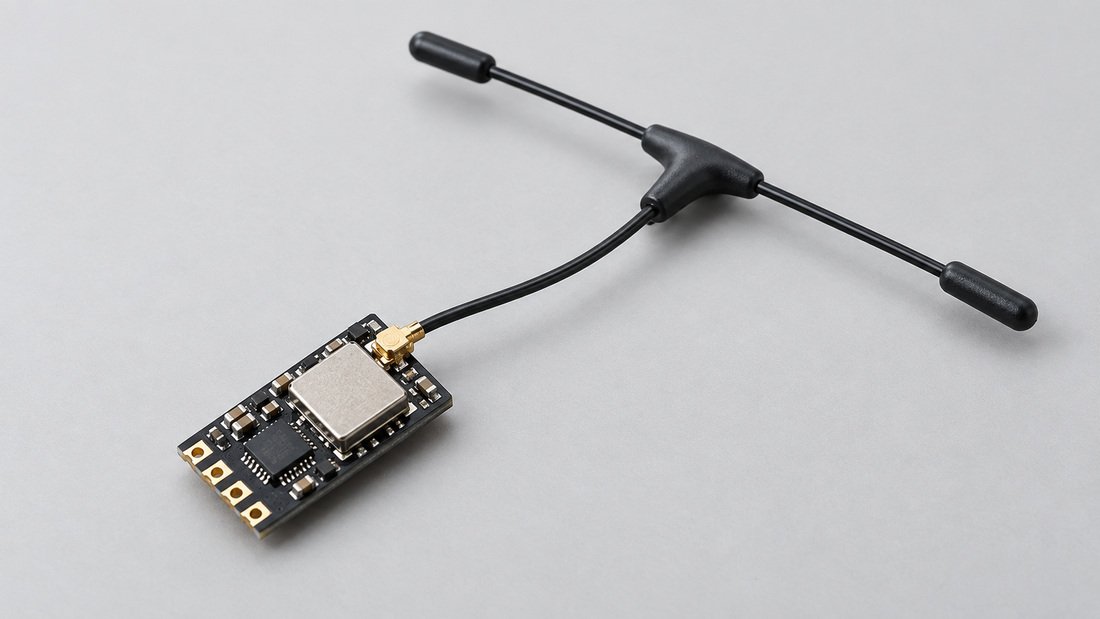
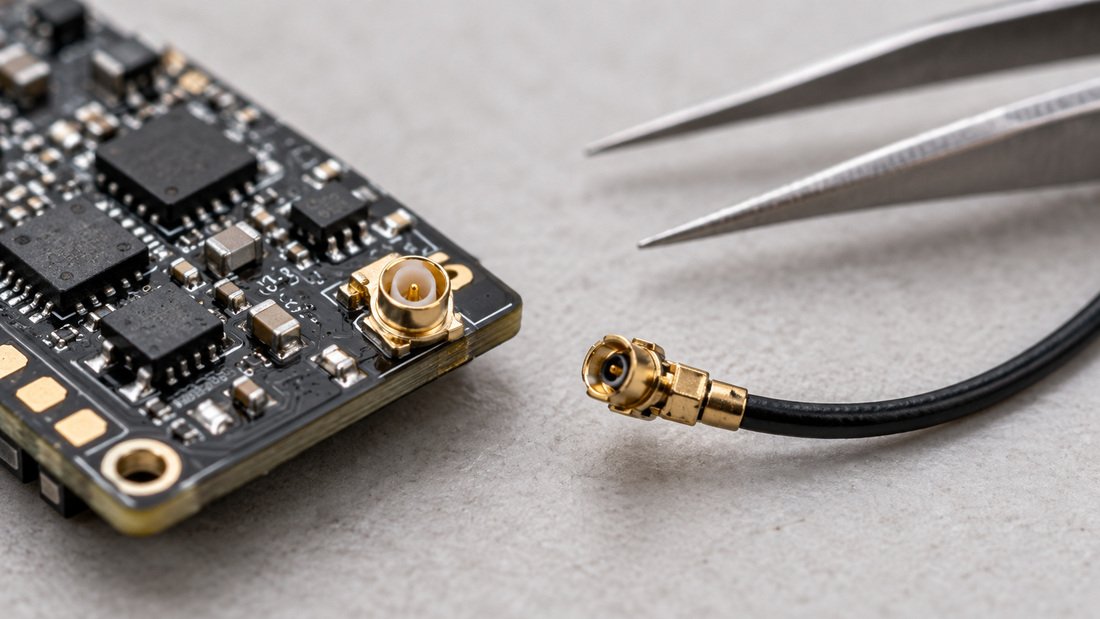
The receiver antenna is part of the RF system, not an accessory. Common configurations include a single wire antenna, a T-style antenna, and receivers with two antenna ports for diversity. Connector families also differ — for example U.FL/IPEX-style micro connectors versus soldered antennas — and each has different strain and repair characteristics.
On a small drone soccer airframe, antenna placement is constrained by the protective cage and prop wash. A short T antenna may fit where a long wire will not. On larger FPV frames there is more room, but carbon fibre and battery placement can still shadow the antenna.
3. Diversity vs single antenna
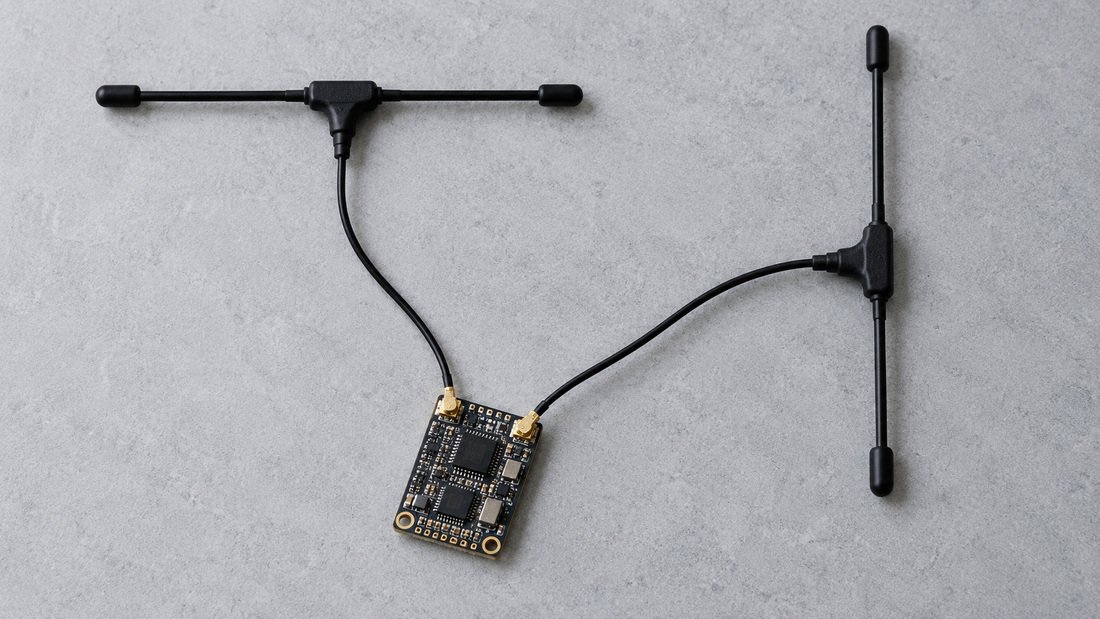
Diversity receivers use two antennas and antenna-switching or combining logic to reduce signal dropouts when the aircraft changes orientation. The trade-off is extra weight, more mounting complexity and more spares to manage. A single-antenna receiver is lighter and simpler, which suits very small airframes where every gram counts.
For a club, the practical question is maintenance. Diversity can help in crowded venues with many transmitters, but only if members keep both antennas intact and correctly oriented. If your repair bench is volunteer-run, a simpler single-antenna standard may produce fewer failed flights.
4. Channels, output type and voltage
Receiver channel count must cover every function your flight controller expects. Most modern builds use a serial protocol such as CRSF, which carries many channels over one wire. Older or simpler builds may use PWM outputs, where each channel needs its own pin.
Also check the receiver input voltage range. Some receivers accept a wide range and can run directly from battery voltage; others expect a regulated supply. Confirm the acceptable range in writing before wiring a batch of club aircraft, because an out-of-range supply can destroy receivers during a build session.
5. Size, weight and firmware target
Physical size decides whether the receiver fits inside a caged drone soccer airframe or under a stack on an FPV frame. Weight matters for small indoor aircraft. Firmware target matters for flashing: ELRS receivers are organised by target, and the wrong target means the receiver will not run correctly.
Ask the supplier for the exact firmware target and the recommended transmitter module firmware version. Our ELRS receiver compatibility resources are a useful starting point for confirming what works together before you order.
Comparison table: common ELRS receiver configurations
The table below compares typical configurations rather than specific models. Use it to frame questions for your supplier; exact specifications must be confirmed per product.
| Configuration | Typical use | Strengths | Trade-offs to verify |
|---|---|---|---|
| 2.4 GHz, single wire antenna | Indoor drone soccer, small FPV | Compact, light, simple installation | Antenna routing is critical; less orientation tolerance |
| 2.4 GHz, T antenna, nano size | Caged sports drones, tight builds | Short rigid antenna fits small frames | Connector and mounting must be confirmed |
| 2.4 GHz, diversity | Clubs flying in crowded venues | Two antennas improve orientation tolerance | Extra weight, two antennas to maintain |
| 900 MHz, single antenna | Longer outdoor range, obstacle-heavy sites | Different propagation characteristics | Local band rules; longer antenna |
| PWM output receiver | Simple or older builds | No serial configuration needed | More wiring, fewer channels per wire |
| Serial (CRSF) receiver | Modern flight controllers | Many channels over one connection | Requires correct flight controller port setup |
For adjacent components, review ELRS transmitter modules and RF antennas so the whole chain is planned together rather than piece by piece.
Why vehicle type changes the decision
A receiver that suits a 5-inch freestyle quad is not automatically right for a drone soccer airframe. Vehicle class changes the constraints.
Caged drone soccer airframes
Space is limited and the cage influences antenna placement. The receiver must be small, the antenna must survive impacts, and the wiring must tolerate repeated repairs. Teams often favour nano receivers with short T antennas, then standardise one mounting position across the fleet.
School and STEM program aircraft
Durability and simplicity matter more than peak performance. Choose a receiver with predictable wiring, a clear firmware target and a low risk of accidental damage during student builds. Fewer variants across the classroom means fewer confusing spare boxes.
Racing and event fleets
Event organisers care about consistency between heats. Identical receivers, identical antennas and identical firmware reduce variables when multiple pilots fly simultaneously. Confirm the receiver can handle the channel and update-rate settings your event uses.
More background on how these parts fit together is available in our ELRS and RF systems overview.
Procurement checklist for clubs and schools
Use this checklist during specification, quoting and receiving. It separates general guidance from commercial terms you must confirm in writing with your chosen supplier.
- Flight environment: indoor, outdoor, or both; typical venue size and transmitter density.
- RF band: 2.4 GHz or 900 MHz, plus confirmation of local permitted use.
- Antenna: type, connector family, length and replacement availability.
- Diversity requirement: yes or no, based on venue crowding and maintenance capacity.
- Channels and output: serial (CRSF) or PWM, and number of channels required.
- Input voltage range: confirm the documented acceptable range before wiring.
- Firmware: exact receiver target and recommended transmitter module version.
- Form factor: dimensions and weight against your airframe and cage.
- Binding procedure: document one standard method for the whole fleet.
- Spares ratio: agree how many spare receivers and antennas per active aircraft.
- Documentation: request pinout diagrams, wiring notes and firmware instructions.
- Commercial terms: request and confirm in writing the unit price, minimum order quantity, lead time, payment terms and warranty period for your specific order.
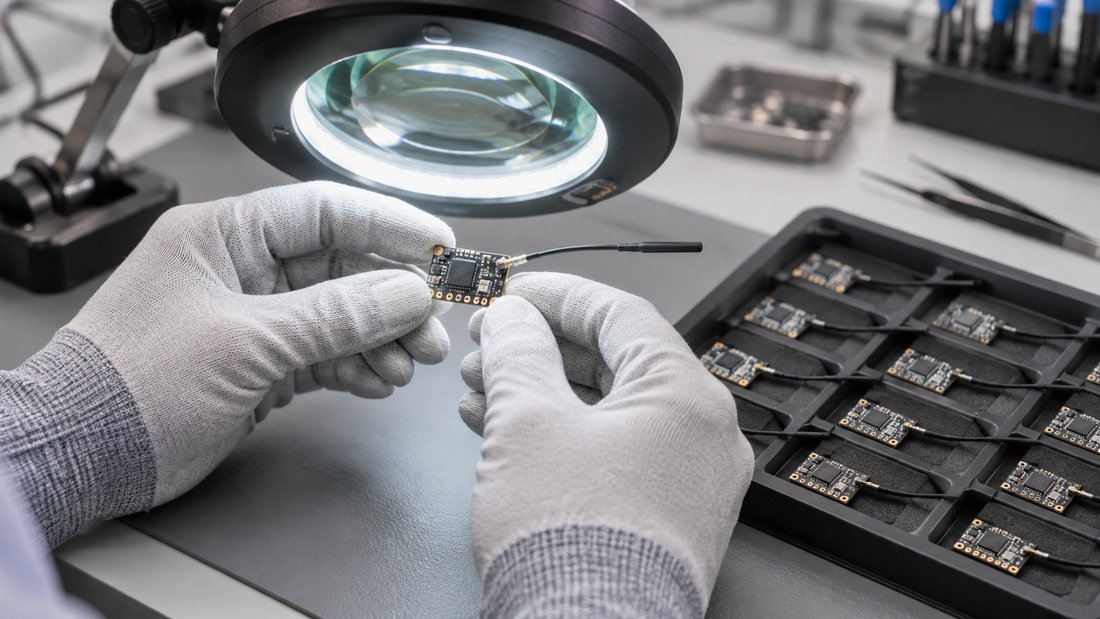
- Quality evidence: ask what inspection steps are performed and whether reports are available for your batch.
- Packaging and labelling: confirm how receivers are labelled for classroom or club inventory.
Common mistakes in ELRS receiver selection
- Choosing by price alone. The cheapest receiver can become expensive if replacements differ in firmware or connector type.
- Ignoring antenna placement. Carbon fibre, batteries and cages can block or detune an antenna, so placement is a design decision.
- Mixing receiver variants in one fleet. Different targets and connectors fragment spare parts and slow down repairs.
- Assuming band suitability. 2.4 GHz and 900 MHz behave differently, and permitted bands vary by country — verify locally.
- Skipping the voltage check. Confirm the documented input range rather than assuming compatibility with your power rail.
- Ordering without documentation. Without a pinout and firmware target, a build session can stall.
- Forgetting consumables. Antennas and connectors are the parts most likely to be damaged and replaced.
Working with a supplier
When you request a quote, describe the fleet rather than a single unit. Share aircraft class, quantity, band preference, antenna preference, connector type and whether you need serial or PWM output. Ask for the firmware target and a wiring diagram in writing.
If you are evaluating several options, request samples first and test them on one airframe before committing a full fleet. Then compare the test notes across candidates. For OEM or custom labelling discussions, describe your program and ask what documentation the supplier can provide.
For team orders, a consolidated quote covering receivers, antennas, transmitter modules and spare connectors is easier to manage than separate purchases. Start a conversation through our Get a Quote page.
Frequently asked questions
Is 2.4 GHz always better for drone soccer?
No. 2.4 GHz is popular for indoor caged aircraft because antennas are compact, but the right band depends on your venue, local rules and how the airframe is laid out. Test before standardising.
Do I need a diversity receiver?
Diversity can help when the aircraft changes orientation in a crowded RF environment, but it adds weight and another antenna to maintain. Choose it if your venue demands it and your team can keep both antennas in good condition.
What is an ELRS firmware target?
It is the specific firmware build for a given receiver hardware design. Flashing the wrong target can stop the receiver working correctly, so request the exact target from your supplier before ordering in volume.
Can I mix ELRS receivers from different manufacturers in one fleet?
They may all speak the same protocol, but firmware targets, connectors and voltage ranges can differ. For a club, standardising one model simplifies spares, binding and training.
How many spare receivers should a team hold?
There is no universal number. Base it on fleet size, crash frequency and how quickly you can restock. Ask your supplier about restocking timelines and confirm them in writing.
What should I confirm before paying for a bulk order?
Confirm unit price, minimum order quantity, lead time, payment terms, warranty period, firmware target, connector type, antenna specification and packaging in writing.
Should we test samples before a fleet order?
Yes, where practical. Test one receiver on a representative airframe, document the setup, then compare candidates using the same procedure so the comparison is fair.
Conclusion
ELRS receiver selection is a matching exercise: RF band, antenna, diversity, channels, voltage, size and firmware must all fit your airframe and your venue. For schools and drone sports clubs, the bigger win is standardisation — one receiver family, one documented procedure and a sensible spares ratio.
Write down your requirements using the checklist above, confirm every commercial and technical term in writing, and test a sample before committing the fleet. When you are ready to specify receivers, antennas and transmitter modules together, Request a Team Kit Quote from Drone Parts Factory and include your aircraft class and quantities.