Quick summary
Most analog FPV flight controllers overlay text using the AT7456E, a single-channel monochrome on-screen display (OSD) chip. Betaflight, the dominant open-source flight controller firmware, states it “supports on-screen display for pretty much any video system, be it analog or digital,” and the AT7456E is the classic analog part behind that overlay (source: Betaflight Getting Started). It draws battery voltage, timers, GPS data and warnings onto the analog video signal before it reaches the VTX. Digital systems such as DJI, Walksnail and HDZero typically generate their own overlay, so the chip matters mainly for analog builds and for teams standardising on analog video.
Key Takeaways
- The AT7456E is a monochrome OSD generator that adds text and icons to an analog composite video signal; it is not a recorder and not a video transmitter.
- It appears on many analog FPV flight controllers because Betaflight and similar firmware support it directly, so setup is done in the configurator rather than by writing custom code.
- Digital HD video systems usually render OSD in the goggles or air unit, so the FC’s OSD chip is often unused on those builds.
- Recording (DVR) is a separate function, handled by an on-board or standalone DVR module, not by the OSD chip.
- For clubs and schools, matching OSD chip, firmware target, VTX and DVR across a fleet reduces setup time and support load.
What the AT7456E actually does
The AT7456E is an OSD generator. It stores a character set and, on command from the flight controller, inserts pixels into the analog video stream at defined positions. The result is the familiar white-on-dark text: voltage, current, mAh used, flight timer, throttle, GPS coordinates, home direction, warnings and so on.
Betaflight’s own documentation lists OSD among its core features and notes that you can “display pretty much any information you want, from battery voltage and current draw, to GPS coordinates, speed, flight timers, artificial horizons, and more” (source: Betaflight Getting Started). The same page notes you can use the OSD to configure some settings and check post-flight statistics. That configurability is a large part of why the chip became the default in analog builds.
Two practical limits follow from this. First, it is monochrome: the character set is one colour (with outline), not a full graphics layer. Second, it sits in the video path, so it only affects the video that passes through the flight controller.
Where the OSD chip sits in the video chain
In a typical analog FPV build, the camera sends composite video into the flight controller. The OSD chip overlays text. The FC passes the combined signal to the video transmitter (VTX), which sends it over 5.8 GHz to your goggles or to a ground station.
Betaflight describes the flight controller as “basically a computer that reads the sensors (gyro, accelerometer, GPS, etc…), computes the desired actions to take, sends the commands to the ESC to control the motors” and can also control peripherals such as VTX control and radio link telemetry (source: Betaflight Getting Started). The OSD chip is one of those supporting peripherals, not the flight-control loop itself.
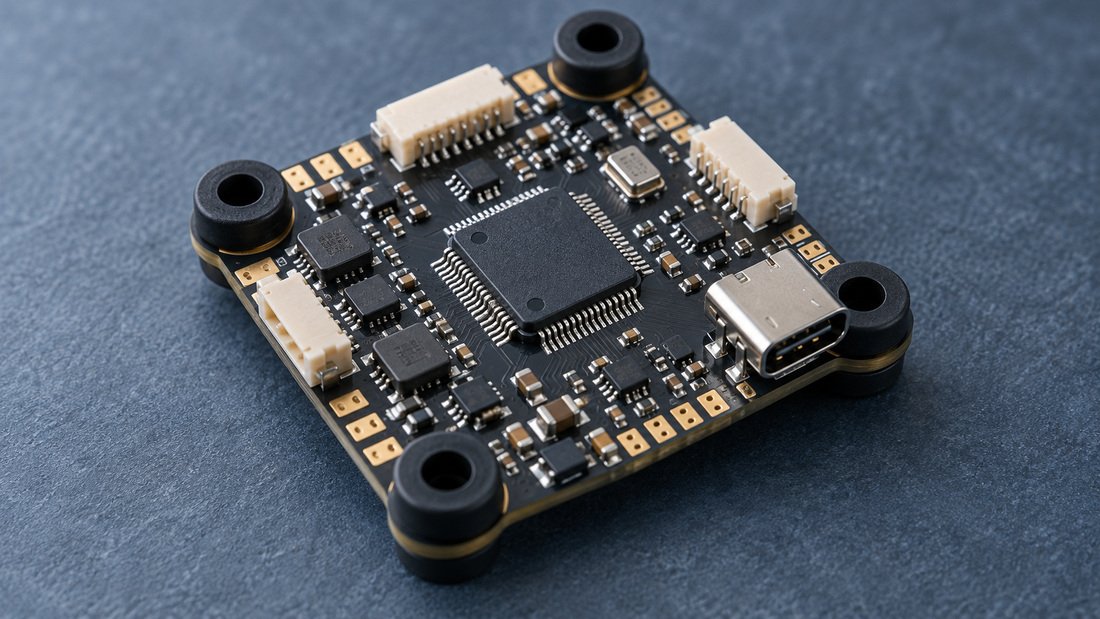
Because the overlay is embedded in the video signal, it appears in anything that records that signal downstream: a ground-station FPV DVR or a goggles-integrated recorder. This is why teams often see OSD text baked into their review footage even when they never enabled a separate recording overlay.
AT7456E vs MAX7456 vs digital OSD: trade-offs
Buyers searching for \”which OSD chip\” usually meet two part names: MAX7456 and AT7456E. Both are single-channel analog OSD generators used in FPV hardware. Exact electrical equivalence, pin compatibility and firmware behaviour vary by board design, so treat any specific substitution claim as something to verify with the board designer rather than assume.
| Item | Analog OSD chip (e.g. AT7456E) | Digital HD system OSD |
|---|---|---|
| Where overlay is generated | On the flight controller | In the air unit and/or goggles |
| Colour | Monochrome character set with outline | Typically colour, more graphic elements |
| Firmware configuration | Via Betaflight OSD tab and related settings | System-specific menus |
| Latency added to video | Minimal; part of analog path | Depends on system pipeline |
| Typical use case | Club trainers, drone soccer, budget fleets | HD cinematic, some racing classes |
| Fleet cost profile | Generally lower per unit | Generally higher per unit |
The trade-off is straightforward. Analog with an AT7456E is cheap, low-latency and easy to service in volume, which suits school programs and drone soccer teams running many identical airframes. Digital HD gives a cleaner image but raises unit cost and adds system-specific setup steps. Neither is universally better; the choice depends on budget, class rules and how much footage quality matters to your program.
OSD is not DVR: separating the two functions
A common source of confusion is treating OSD and DVR as one feature. They are separate.
- OSD draws information onto the live video. It does not store anything.
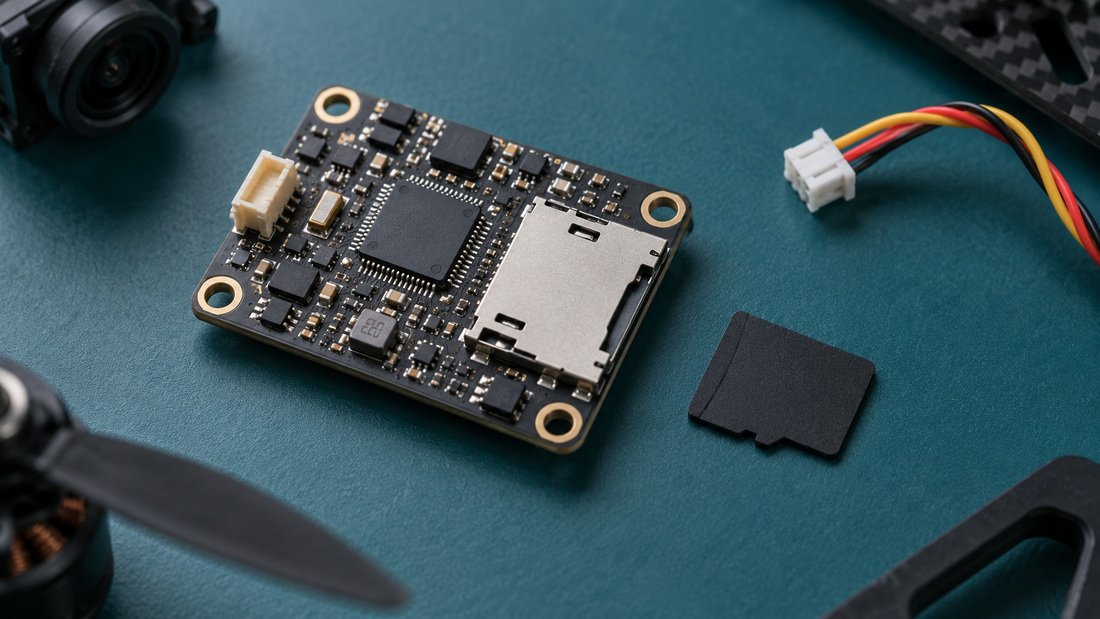
- DVR (digital video recorder) captures the video feed to storage, usually a microSD card, for review or evidence.
In practice the DVR records whatever it receives, so if the OSD overlay is already in the signal, the recording includes it. This matters for drone soccer and school competitions, where coaches may want voltage, timer and warnings visible in the recorded footage for debriefs. If you need clean video without overlay, that has to be arranged at the signal-routing level, not by disabling the OSD chip alone.
Why this matters for drone soccer, schools and clubs
Team programs buy in multiples, so small differences in electronics become large differences in support time. When every airframe in a fleet uses the same OSD chip and the same firmware target, one setup procedure and one set of OSD layouts can be replicated across the whole squad.
Betaflight’s documentation emphasises that support for each board comes from its manufacturer, and that pilots own their builds (source: Betaflight Getting Started). For a club or school, that translates into a procurement question: who do we contact when ten airframes need the same configuration fix? Standardising on one flight controller family and one OSD arrangement makes that answer simple.
Betaflight also notes \”Wide Target Support\” across manufacturers and a wide variety of receiver and ESC protocols, including DShot as the main ESC protocol (source: Betaflight Getting Started). That breadth is useful, but it also means two visually similar boards can behave differently. Match the exact firmware target to the exact board revision.
A practical procurement checklist
Use this when specifying FPV electronics for a squad, a program or a reseller catalogue.
- Decide analog or digital first. This determines whether the FC OSD chip is the primary overlay method at all.
- Confirm the OSD chip on the board. Ask the supplier to state the OSD part number and the firmware target for the exact board revision.
- Confirm the video path. Camera in, OSD overlay, VTX out. Ask whether the board passes video through or offers a bypass.
- Separate OSD from DVR. Specify recording as its own requirement and check where the recording sits: goggles, ground station or on-board.
- Check VTX control. Confirm whether the FC can control the VTX, since Betaflight supports VTX control as a peripheral function (source: Betaflight Getting Started).
- Standardise. Order one FC, one ESC protocol and one video receiver type across the fleet where rules allow.
- Ask for the OSD layout. Request the default OSD element map so screens can be set up identically across airframes.
- Get spares ratio in writing. Agree how many spare boards and cameras per squad you need.
Do not rely on a product listing alone for part numbers, firmware targets, spare ratios or any commercial term. Ask for written confirmation before purchase, and confirm any warranty, lead time or minimum order quantity directly with the supplier, since these vary and are not universal.
Common mistakes
- Assuming the OSD chip records video. It does not. You still need a DVR.
- Buying mixed board revisions. Identical model names can ship with different hardware revisions and firmware targets.
- Ignoring the camera. A camera with poor low-light behaviour will look bad regardless of how good the OSD chip is.
- Forgetting the ground side. OSD is only half the chain; the receiver and recorder determine what you actually see and keep.
- Over-specifying for beginners. For a school first fleet, a reliable analog setup with a working AT7456E overlay is often more useful than a premium HD system.
Building a matched video system
An OSD chip only makes sense inside a complete video chain. For team buyers, we group the relevant parts under FPV electronics so that flight controller, video receiver and recorder can be specified together rather than as unrelated line items.
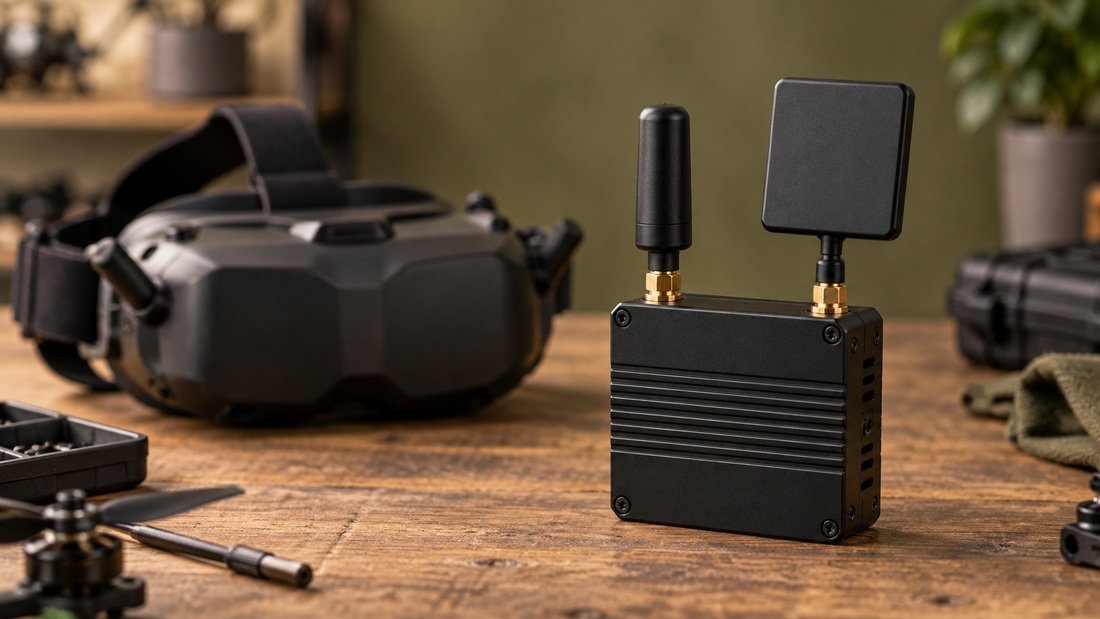
On the ground side, a diversity FPV video receiver combined with a DVR lets coaches watch live and keep footage for review. If you are equipping a full squad, ask about team kit bundles rather than ordering single units, so the OSD configuration, wiring and connector types stay consistent across every airframe.
For a program running regular sessions, consistency beats peak specification. A squad flying ten identical analog airframes with the same AT7456E-based FC, the same OSD layout and the same ground station will spend far less time troubleshooting than a squad with five different board types.
Frequently asked questions
Which OSD chip do FPV flight controllers use?
Many analog FPV flight controllers use the AT7456E, a monochrome OSD generator supported by common firmware such as Betaflight, which documents OSD support for analog and digital video systems (source: Betaflight Getting Started). Some boards use the MAX7456 or another OSD device. Always confirm the part on your specific board revision.
Is the AT7456E the same as the MAX7456?
Both are single-channel analog OSD generator chips used in FPV hardware, but they are different parts. Do not assume pin or firmware equivalence between them. Ask the board designer or supplier to confirm compatibility for the exact board you are buying.
Does the OSD chip record my flight video?
No. OSD only overlays text and icons on the live video signal. Recording is done by a DVR, whether that is built into your goggles, a ground station module or an on-board recorder. Choose these as separate line items.
Do digital HD systems use the AT7456E?
Usually not in the same way. Digital HD systems generally generate their overlay within the air unit or goggles rather than on the flight controller. Betaflight supports OSD for analog and digital video systems, but the overlay’s origin differs by system (source: Betaflight Getting Started).
Will the OSD text appear in my DVR recordings?
If the DVR records the video signal after the OSD overlay has been added, yes, the text is included. If it records a different tap point, it may not be. Confirm the signal routing of your specific hardware before relying on this for coaching or evidence footage.
What should a drone soccer club specify first?
Start with the video standard (analog or digital), then the flight controller family and firmware target, then the ground station including receiver and DVR. Confirm OSD chip, firmware target, VTX control and recording location in writing with your supplier before ordering a fleet.
Can I use the OSD to change settings, not just display data?
Betaflight states that you can use the OSD to configure some settings and check post-flight statistics (source: Betaflight Getting Started). What is available depends on your firmware version and board, so check the documentation for your specific setup.
Conclusion and next step
The short answer: most analog FPV flight controllers use the AT7456E OSD chip to overlay telemetry onto composite video, while digital HD systems handle OSD elsewhere, and recording is always a separate DVR function. For clubs, schools and drone soccer programs, the real value is standardisation. Pick one video standard, one flight controller family with a known OSD chip and firmware target, and one ground station with a recorder, then buy them together.
Before you order, write down the OSD part number, firmware target, VTX control support and recording location you require, and ask your supplier to confirm each one. To price a full squad setup with matched flight controllers, video receivers and DVRs, Request a Team Kit Quote.